Ask Advisor
Drive ROI with a helpful agent built with Gemini capabilities.
Google's own description
An honest look at Google's own AI assistant for Google Ads: what it genuinely does well, and the two levers on your cost per lead that nothing living inside the ad account can reach.
 Google Ads and lead generation, 12 years 11 min read Updated
Google's Ask Advisor is free and good at answering questions. It cannot see your landing page or your closed sales. Here is where that gap costs you leads.
Two of the three things that set your cost per lead sit outside the ad account, and a tool inside the ad account cannot reach them.
Ask Advisor
Drive ROI with a helpful agent built with Gemini capabilities.
Google's own description

RunPPC
Builds the campaign, fixes the page it lands on, and teaches Google which clicks became customers.
What this page argues
We make RunPPC, so read this knowing that. We have tried to write the page we would want to read: Google's tool is free, it is good, and for a lot of advertisers it is enough. Below is what it does, what it cannot do, and the specific situations where the gap is worth paying to close.
Ask Advisor is Google's product, and Google is not affiliated with RunPPC.
Checked against Google's own help centre and product page on . Ask Advisor is in beta and changing, so verify anything that matters to you at the source.
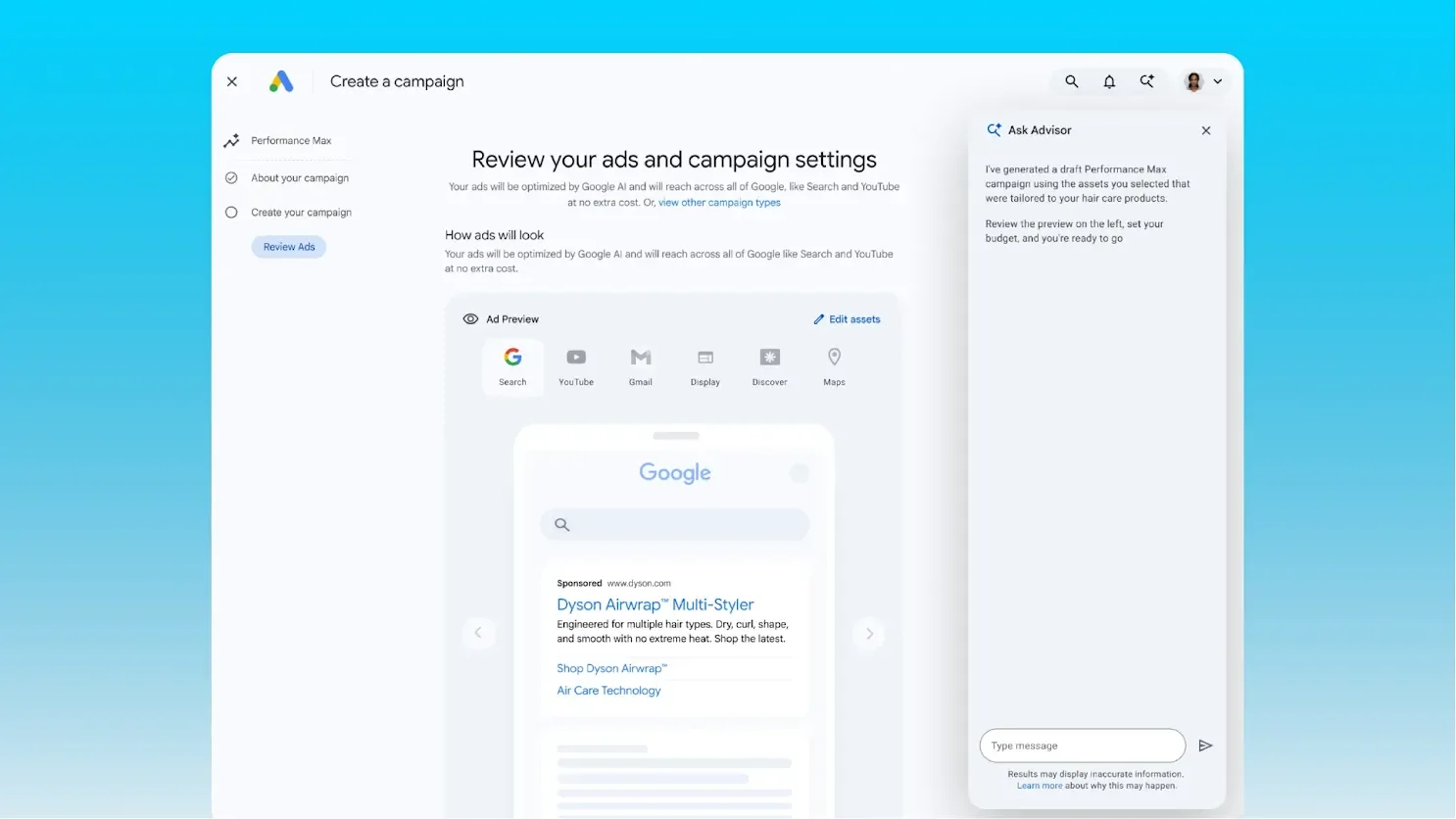
Ask Advisor is Google's own AI assistant, built on Gemini and announced at Google Marketing Live in May 2026. It sits in the top right of an eligible Google Ads account and answers questions in plain language: why your cost per lead moved, which campaign is underperforming, what a policy disapproval means. It also writes headlines and descriptions, generates images, and suggests keywords. It will not act without your approval, and its help page is clear that what you accept, you implement.
Google frames it as one agent reaching beyond Ads: soon, it says, you will be able to collaborate across a range of its marketing products, naming Analytics, Merchant Center and Google Marketing Platform. That part is a roadmap. What is live today is free, and in beta for eligible English language accounts.
Worth being clear about these before the rest of the page. If one of them is all you need, you do not need us.
No subscription, no connection to set up, no snippet to install. If your account is eligible you get an Ask Advisor icon in the top right corner and you can start asking. For an owner who has never used a PPC tool, that is the lowest possible barrier.
It answers from inside the ad platform itself, with auction and query data no third party sees in full. When you ask why impressions fell last week, it is reading the primary source.
You are already in the account when you ask, so there is no exporting and no second tool. Google is clear it will not act without you: it "makes recommendations and will seek your approval before completing actions or making changes to your account".
It generates headlines and descriptions, produces images from your landing page or from scratch, and suggests keywords. That clears a lot of the blank-page work that stops people launching.
None of these are flaws. They are the edges of what a tool living inside the ad platform is built to do.
Ask Advisor works on campaigns. The page the click lands on is outside Google Ads, and it is where a local lead is won or lost. Nothing inside the ad platform can review that page, tell you it is the reason your cost per lead is high, or rewrite it for the search someone actually typed.
Matters most to: Anyone whose ads work harder than their website
It sees conversions as the account records them. If a form fill and a five thousand dollar signed job count the same, every answer it gives is optimizing toward the wrong number. Feeding real outcomes back is what fixes that, and it is not something Ask Advisor does for you.
Matters most to: Any business where leads differ in value
Google's help page says plainly that Ask Advisor "isn't currently available in MCC accounts", and you only get the icon if the individual account is eligible. You can open it inside each account on its own, but there is no manager-level view: no answer that spans your accounts, no single panel for the whole book of business.
Matters most to: Freelancers, agencies, anyone with more than one account
It is a chat panel in an interface you have to open. Google does surface proactive recommendations in the account, but the conversation only happens when you start it. If you are on a job site all week, nobody starts it.
Matters most to: Owners who are not in the platform daily
Google describes it as in beta "so there may be limitations", in English language accounts, with more features rolling out over the coming months. It is a moving target, and what it does today is not what it will do in six months, in either direction.
Matters most to: Anyone who needs a stable process now
Your cost per lead is set in three places: the account, the page the click lands on, and what Google learns about which clicks became customers. Ask Advisor works on the first one.
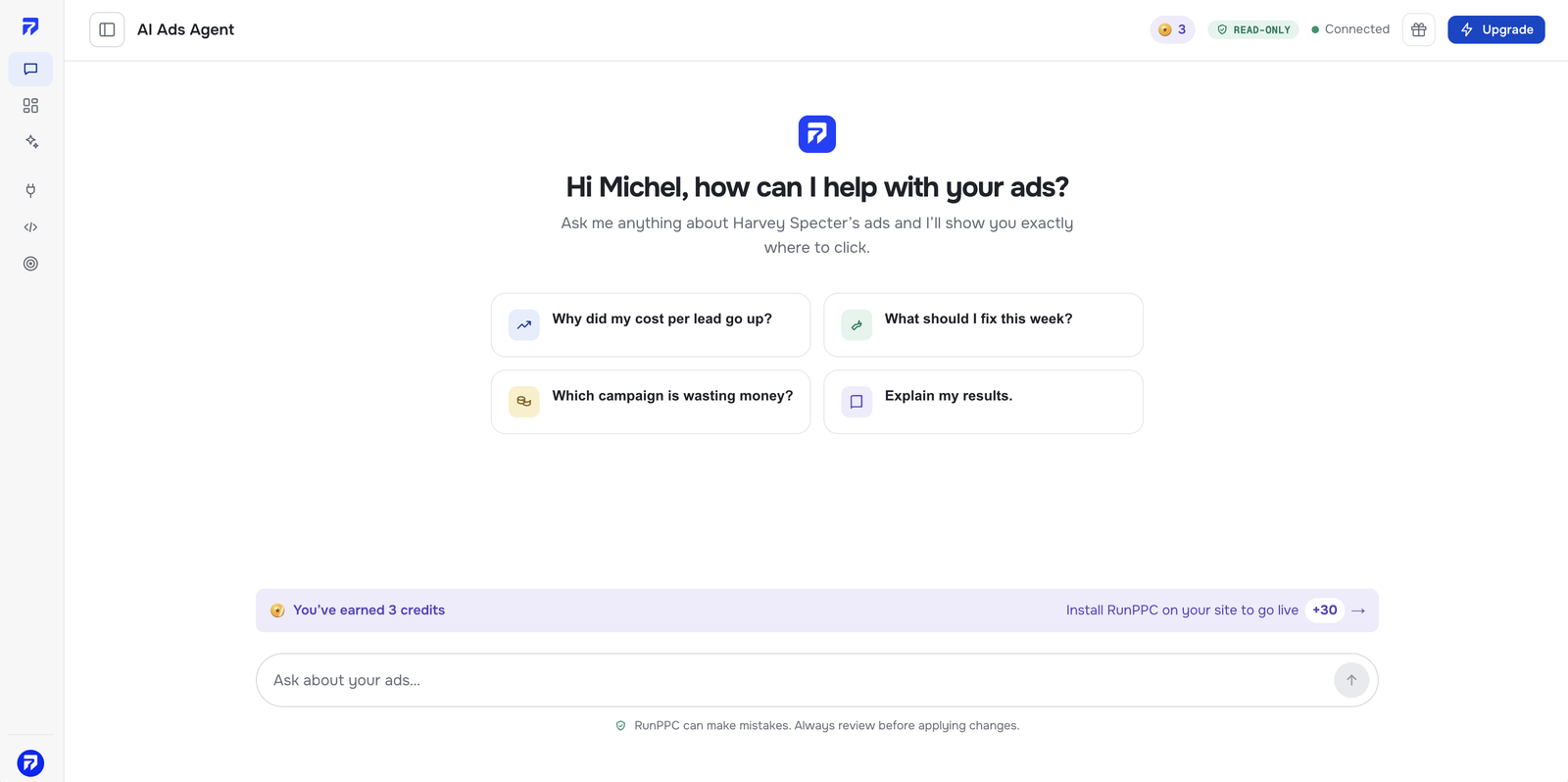
The agent writes the whole Search campaign: ad groups, keywords, and the negative keyword exclusions that stop you paying for the wrong searches. You review the finished thing and approve it, and the agent builds it in your Google Ads account and launches it, so you never go back into Google Ads. Disagree and you say so, and it rebuilds.
It reviews the page your ads point at and proposes what to fix. Then it personalizes that page for every click: the keyword someone typed and the city they searched from, through one snippet, on the page you already have. No tool inside Google Ads can see your website, let alone rewrite it.
Your closed sales go back into Google Ads as conversions, so bidding optimizes toward the jobs you actually won rather than the forms people filled in. This is the biggest single lever on cost per lead, and it is plumbing nobody sets up for you inside the platform. On Max and above.
Multi connects up to three Google Ads accounts, shows them in one consolidated dashboard and switches between them in one click. Ask Advisor is not available in manager accounts, so the alternative is opening each one and asking the same question again.
A ranked review every week, or every day on Max, plus an alert the moment something breaks. You never have to remember to open anything, which matters when the account is not your actual job.
Ask Advisor is free because it lives inside the platform your ad budget pays for. That is not a scandal, it is just how it is funded, and it is worth holding in mind when you read its advice.
You do not have to take our word for the direction that pulls in. Google publishes the full list of recommendations it can surface in your account. Two of the entries are called "Raise your budgets" and "Raise your budgets for upcoming traffic increases", the second of which advises raising your budget "now to avoid missing out on potential customers". Asking for more budget is a normal, documented part of the advice the platform gives. Google lists them here.
Often that is the right call, and a tool that never suggested it would be useless. The point is narrower than "Google is out to get you". A tool funded by your ad budget and a tool funded by a flat monthly fee are answering slightly different questions, and on the days those answers differ, it helps to know which is which. RunPPC charges a fixed monthly price, never a percentage of what you spend. Both models are common, and our breakdown of what each pricing model costs sets out the going rates.
Three of these rows go to Google and one is a draw. A comparison where one column wins everything is not a comparison.
| Ask Advisor | RunPPC | |
|---|---|---|
| Price | Free, included with Google Ads | From $49/mo, a flat fee rather than a share of spend. Pro covers up to $3,000/mo in ad spend, Max has no ceiling |
| Writes ad copy | Yes, headlines and descriptions | Yes, headlines and descriptions |
| Generates images | Yes, from your landing page or from scratch | No, not today |
| Reaches Analytics, Merchant Center and Google Marketing Platform | Google says this is coming | No |
| Builds the campaign for you | It suggests, and you implement what you accept | Writes the whole Search campaign, keywords and exclusions included, and launches it in your account once you approve |
| Reviews and improves your landing page | No. It cannot see your website | Yes, and personalizes it per keyword and per city from one snippet |
| Sends closed sales back to Google Ads | No, you set that up yourself | Yes, handled for you, on Max and above |
| Several accounts in one view | No. One account at a time, and not available in MCC accounts | Yes, up to 3 accounts in one dashboard on Multi |
| Reaches you outside the platform | You open the panel and ask | Weekly or daily review, plus alerts when something breaks |
| Incentive | Free inside the platform your ad spend pays for | Flat monthly fee, never a share of your ad spend |
From $49/mo. Cancel anytime. No setup fee.
And it is not either/or. Ask Advisor is strongest inside the account. RunPPC works there too, building the campaign and making the changes you approve, and it covers what sits outside it: the page the click lands on, and, from Max, tying spend back to closed jobs rather than raw conversions. Plenty of people run both.
Ask Advisor is Google's own AI assistant inside Google Ads, built on Gemini and announced at Google Marketing Live in May 2026. You ask questions in plain language and it answers from your account data, troubleshoots problems, suggests keywords, and writes headlines, descriptions and images. It suggests; you implement what you accept. It is free and currently in beta for eligible English language accounts.
Because two of the three things that set your cost per lead sit outside the ad account, and a tool inside the ad account cannot reach them. The first is the page your ads point at. Google Ads cannot see your website, so it cannot tell you the page is the problem, and it certainly cannot rewrite it for the keyword and the city behind each click. The second is what Google learns from you: until your closed sales go back into the account as conversions, bidding is chasing form fills rather than customers. Ask Advisor is genuinely good at the third thing, the account itself. What you accept, you then implement yourself. If the account is all that is wrong and you are happy to make those changes, use it and keep your money.
Yes. It is included with Google Ads at no extra cost, in eligible accounts. That is a real advantage over any paid tool and it is the first thing to weigh before paying for anything else.
No, and it does not make them for you either. Google says it "makes recommendations and will seek your approval before completing actions or making changes to your account", and its help page puts the work on you: "It's your responsibility to ensure that the suggestions you accept are accurate and relevant before implementing them in your account." Google's marketing describes an agent that completes tasks for you. Its documentation describes something more cautious, and the documentation is what you can hold it to. For comparison, RunPPC shows you the change in full, and when you approve that exact version it makes the change in your Google Ads account for you. That includes launching a new campaign, so you never go back into Google Ads.
Not dishonestly, but the incentives are not neutral and it is fair to say so. Google publishes the list of recommendations it can surface in your account, and it includes "Raise your budgets" and "Raise your budgets for upcoming traffic increases". Asking for more budget is a standard, documented part of the advice the platform gives, and often it is the right call. The point is narrower: a tool funded by your ad budget and a tool funded by a flat monthly fee are answering slightly different questions.
Yes, and plenty of people should. Ask Advisor is strongest inside the account and across Google's own products. RunPPC also works inside the account, building the campaign and making the changes you approve, and it covers what sits outside it: the landing page, the conversion loop back to Google, and several accounts in one view.
Yes, though not by plugging into a manager account. RunPPC is its own dashboard rather than a tool inside Google Ads, so it does not run at the MCC level. Multi connects up to three Google Ads accounts, shows them in one consolidated view, and switches between them in one click. Ask Advisor takes the other approach: available inside eligible individual accounts, but not in MCC accounts, so there is no view that spans them.

the wider comparison including Optmyzr, Adalysis and Opteo
what it watches and what it proposes
the same comparison for a tool built around ten accounts
the pillar guide
Connect your Google Ads account and get the ranked list in minutes: the wasted spend, the page that is losing the click, and the conversions Google never learned about.

Cookies on this site
We measure how the site is used and which ads bring people here. No measurement runs until you choose, and you can change your mind any time from the footer. Cookie Policy
Strictly necessary
Signing in, security, honouring a referral link, and remembering the choice you make here. These cannot be switched off.
Audience measurement
Google Analytics tells us which pages help and which do not. Sets _ga and _ga_WBRFZHCDS5 for up to 2 years.
Advertising measurement
Lets Google tell us which of our ads led to a signup, and tie a visit back to the ad that paid for it.